Yes. Asana is good for managing large projects with features like task organization, dependencies, and communication tools. However, effective implementation and user familiarity are the keys to optimal management.

Empower Your Team, Streamline Projects, Increase Productivity, and Drive Success with Asana
Streamline your individual tasks and collaborative projects with project management tools. You can find some of the best project planners and task management software online for free or purchase a subscription to access advanced features.
This article shares an overview of the 20 best project management tools in 2024. The insights shared will help you select the most suitable task management software and make your project’s operations more efficient.
Users can leverage the Workflow Builder to create custom workflows and facilitate collaboration. Strategic goals can be set to provide clear direction to teams, with performance metrics for tracking.
Gantt charts provide a visual representation of resource allocation, deadlines, and overall project progress. Asana also offers seamless integration with over 200 popular apps like Google Drive, Google Calendar, and Slack, enhancing productivity and workflow efficiency.
Asana works by breaking down large work into manageable tasks. It lets you know the status of work happening across your team and helps in the timely execution of tasks.
It is mainly organized into three different sections that relate to one another accordingly:
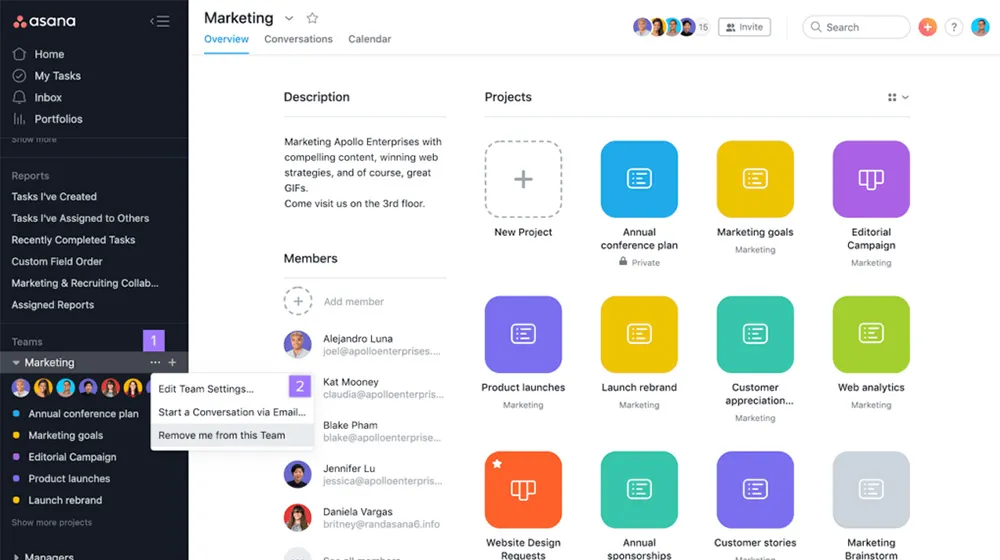
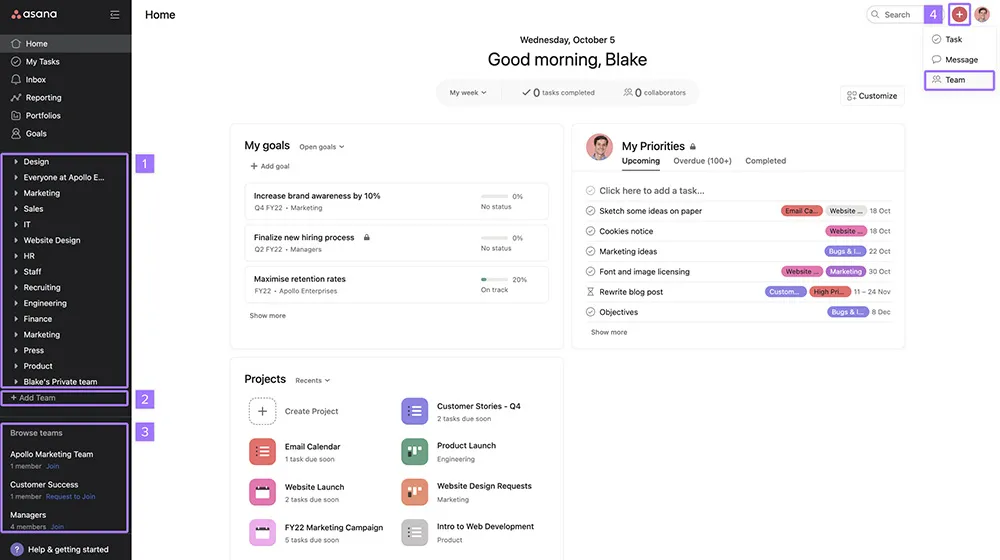
The word “team” here refers to the group of individuals working on a specific project. Begin with the team description and add the individuals involved in that team.
Once the team is created, you can create different sub-teams (for instance, content, graphic design, etc.) with the list of members.
By creating a project in Asana, you can organize a long list of tasks in one place that are related to a specific initiative or goal. Create a content calendar, as it is a good example of a broad project.
Large-scale projects are usually without deadlines. However, the smaller projects that file under this content calendar have measurable deadlines.
The final step is to assign these tasks to the projects. Break down the larger tasks into smaller ones. Once done, organize them and assign them to others if needed, adjust the due dates, add details, and communicate with the collaborators.
Make the most of Asana project management with the following tips and tricks. These Asana features will help you get organized, stay productive, and keep your business on track.
The final step is to assign these tasks to the projects. Break down the larger tasks into smaller ones. Once done, organize them and assign them to others if needed, adjust the due dates, add details, and communicate with the collaborators.
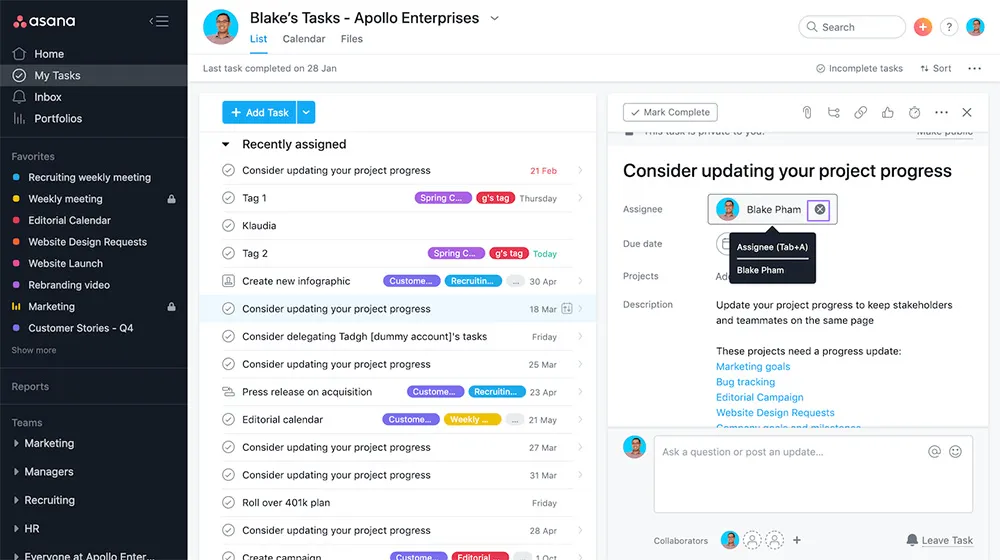
Assign the tasks to the relevant person and add a due date to each task and its sub-task. This provides a clear overview of all the to-dos and a breakdown of responsibilities.
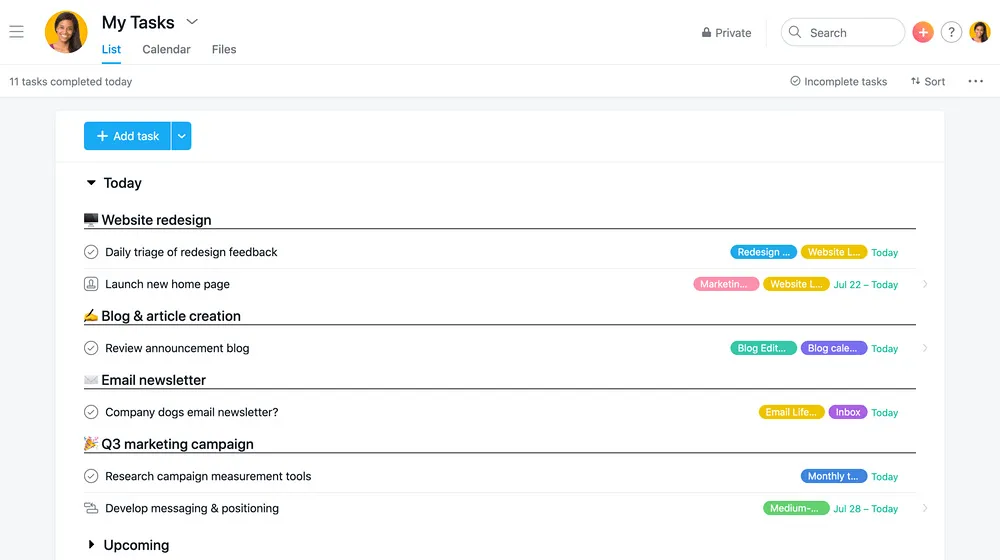
Each person assigned can thus see the task in the “My Tasks” section with the appropriate due date and plan their workflow.
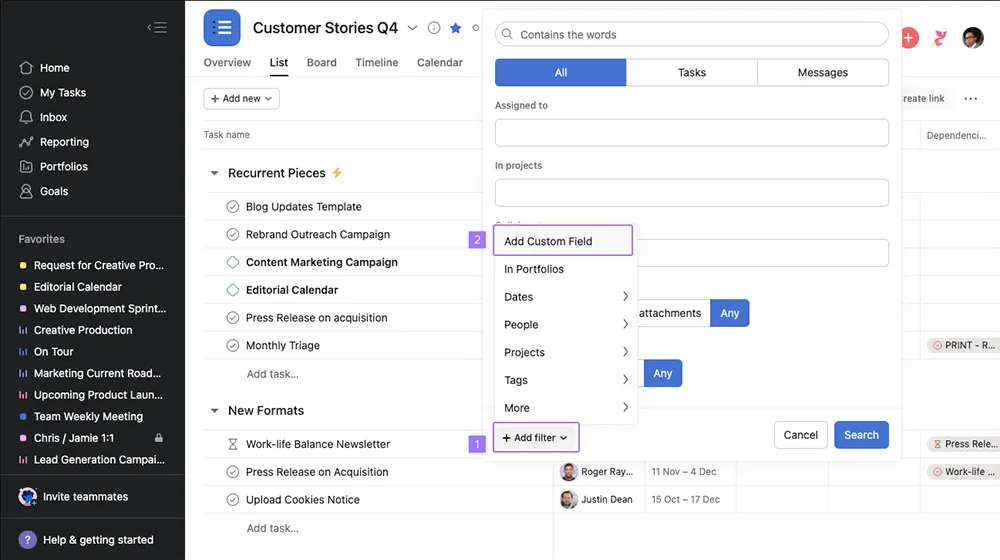
Use Asana custom fields to track, save time, and organize tasks. Add a field for any factor that is significant to your workflow, team, or business. This lets individuals have clarity on work happening across the company.
Click the drop-down arrow next to the project name in the header to add fields. Choose from pre-existing fields already used in your organization, or create a new one. For example, task status or the hours required to complete the task can be used as a field.

You can also add tags to your projects and use colors for a better overview, especially when working on different projects simultaneously. This makes it easy to sort and organize the tasks.
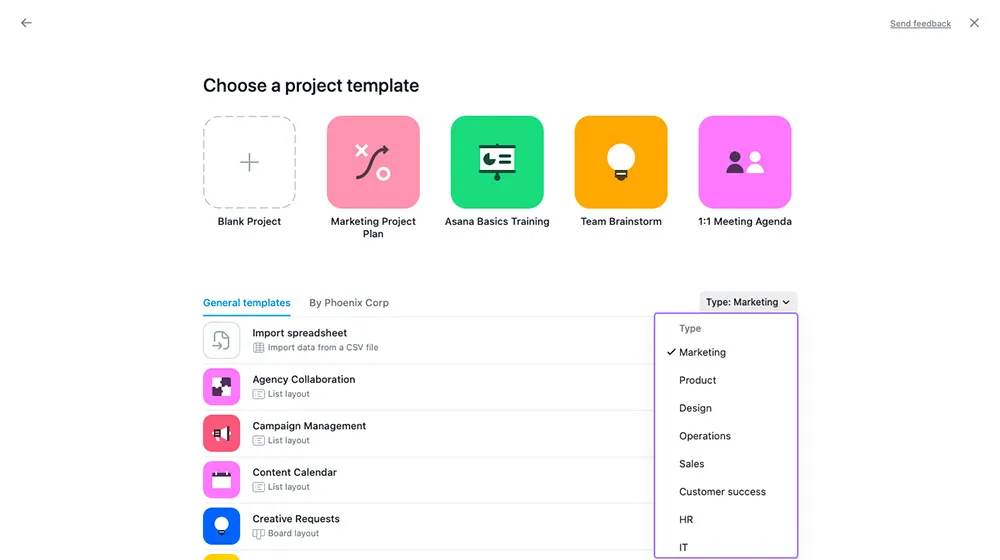
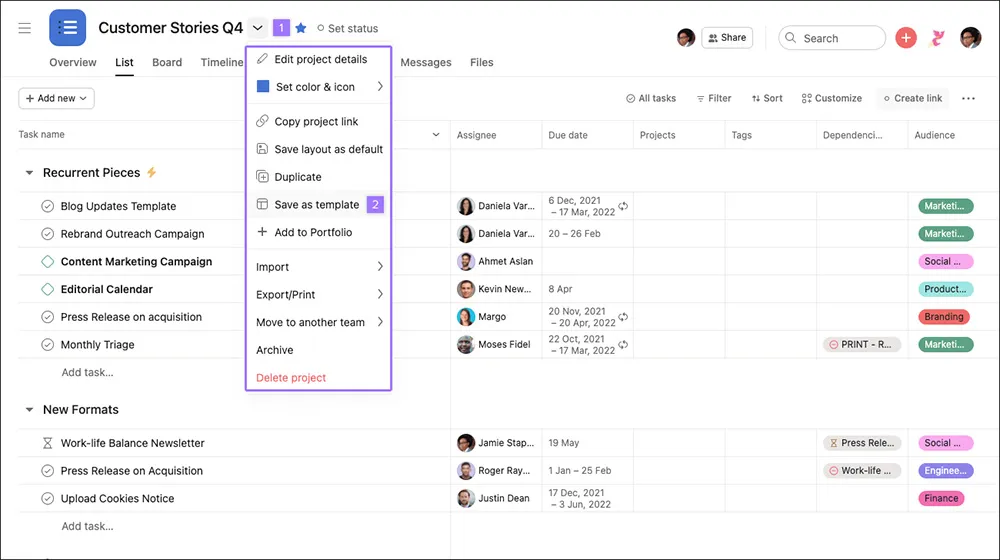
Project templates on Asana can save you a lot of time. They contain all the significant structures and processes from the previous projects. Use them for recurring tasks, projects that have similar processes, or those that are completed.
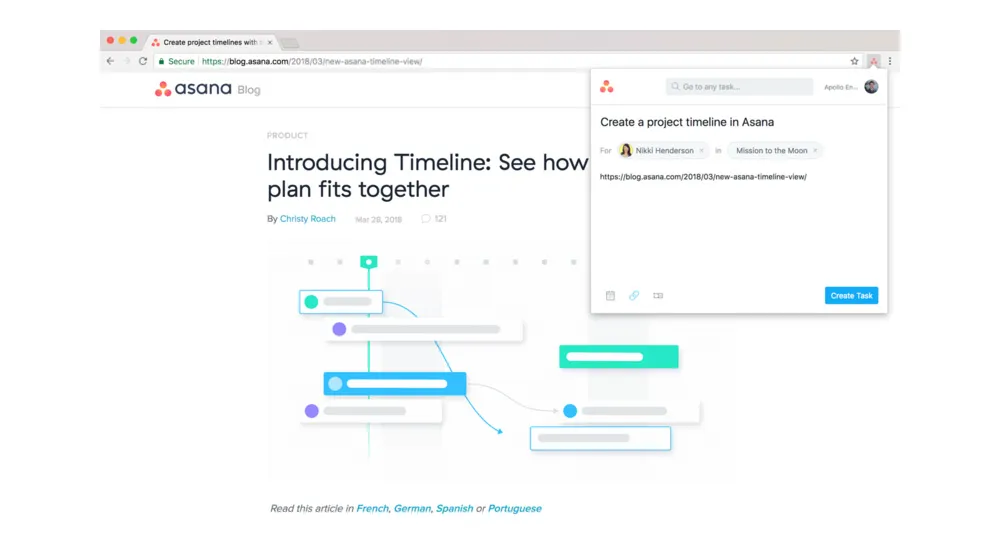
Use the Chrome extension for Asana to store web pages directly as tasks. You can immediately add a task from a web page you browse to Asana as a new task. Moreover, you can do this without copying and pasting any links or other information.
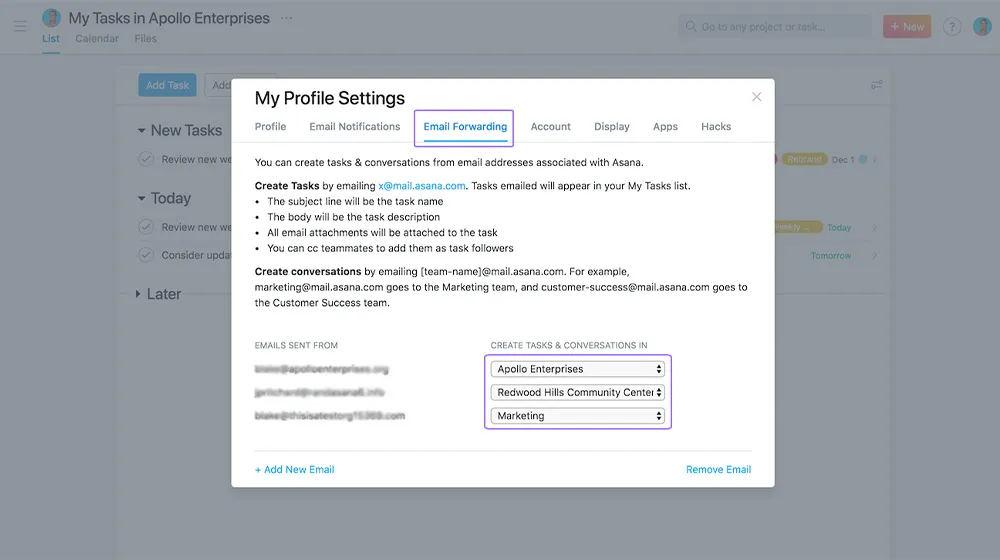
Synchronize your Asana with Gmail or Outlook. This converts the received emails directly to Asana tasks without opening any other application.
Forward the email to Asana they will automatically create a task assigned to you with your email mentioned in the description. This saves a lot of time and prevents forgetting to open an email due to the flooded inbox.
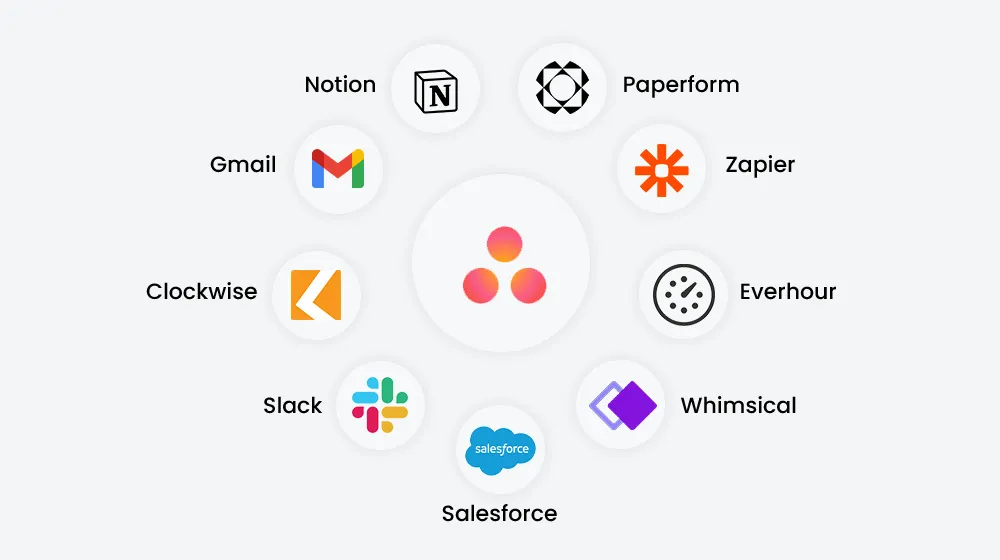
Asana integrations make it easy to collaborate on tasks, docs, and projects. It saves the hassle of manually sharing the data and makes the work easier and faster.
Connect Asana with various tools such as Google Drive, Slack, Dropbox, or Microsoft Teams to work more efficiently on your tasks.
The top Asana integrations are:
Divide the projects or individual tasks into sections. With this feature, you can arrange the tasks in accordance with the topics and deadlines.
These sections are also customizable for each project. For example, create sections for different departments such as Marketing, HR, or more. Now, use these sections to store the tasks carried out by each department.
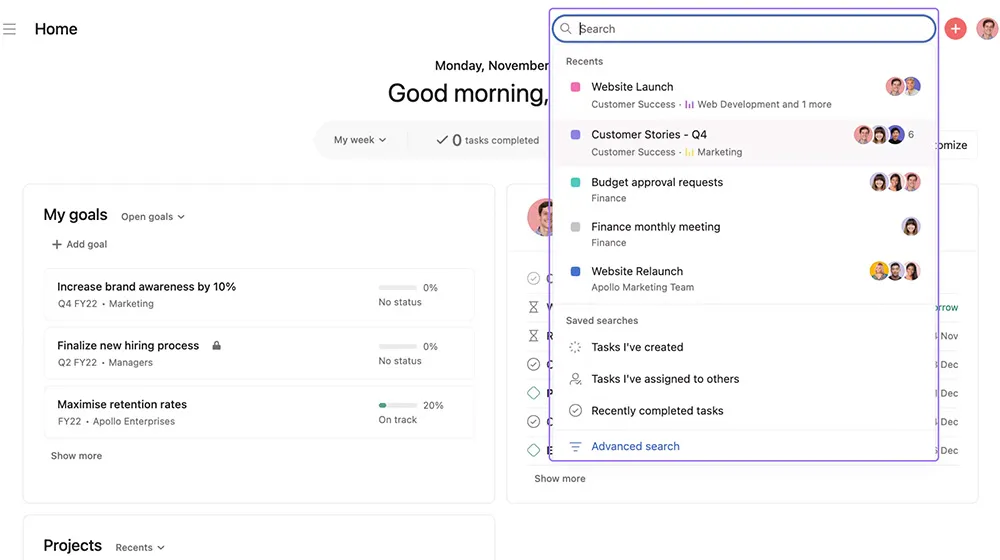
Create your reports easily and quickly through the advanced search feature of Asana. It gives a precise overview of the tasks that need to be done or the ones that are already done. For instance, you can get an overview of the workload of each employee or the tasks that are completed or due within the given date
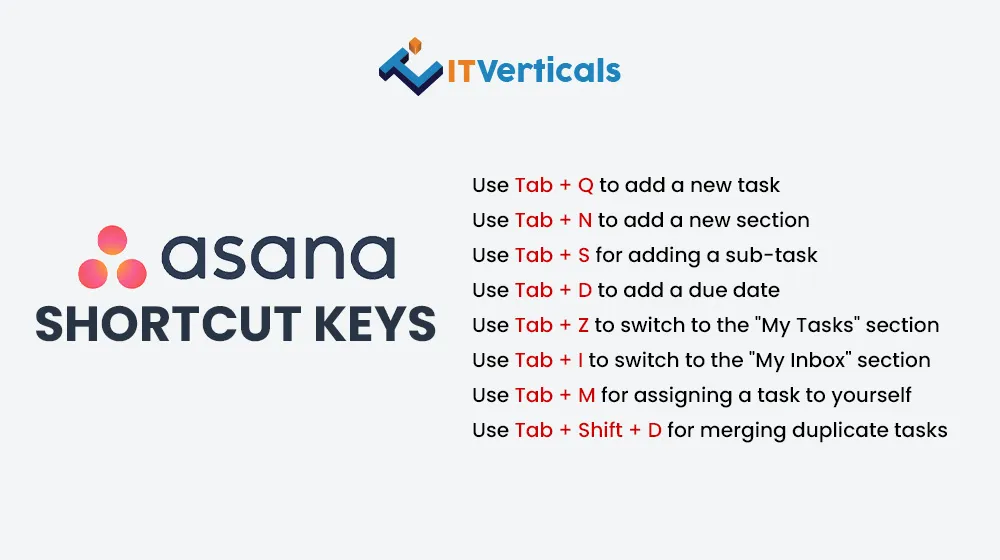
Various shortcut keys help to speed up the Asana workflow. The following most common shortcut keys in Asana will help you save a lot of time:
Out of all the Asana features, one of the most useful is the one with which you can create your own set of custom-saved views. However, this setup takes some time, but once it is done, you will find Asana much easier to use.
Keep your Asana sorted by merging duplicate tasks.
Firstly, identify the similar tasks. Secondly, select one task as the “master task,” as it will contain all the necessary details and attachments. Then, use the merge feature of Asana to transfer the relevant information to the master task and delete the duplicate one.
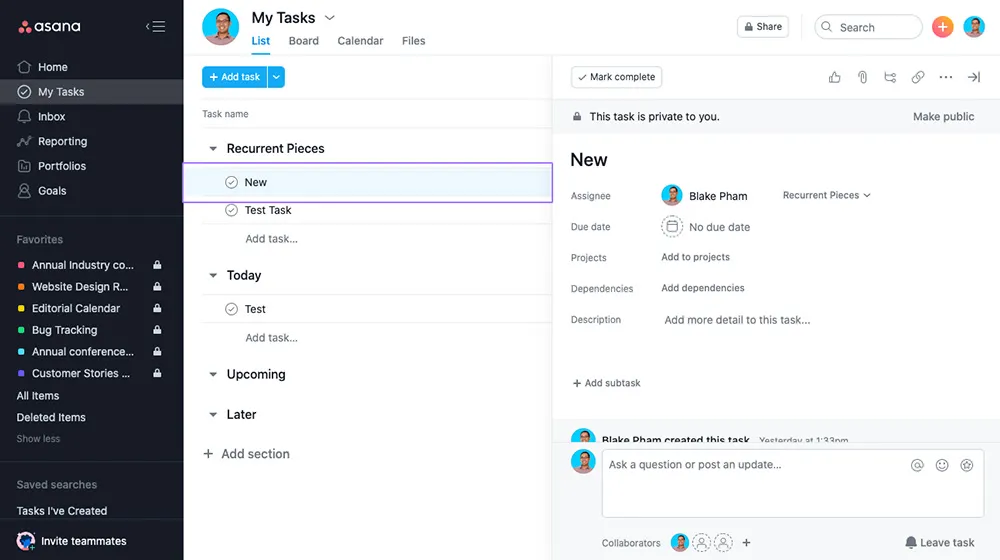
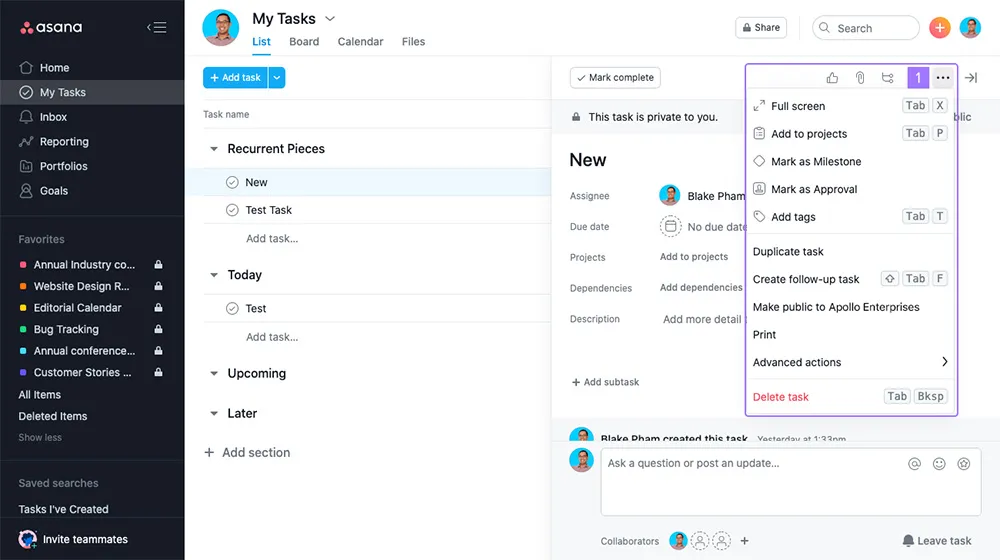
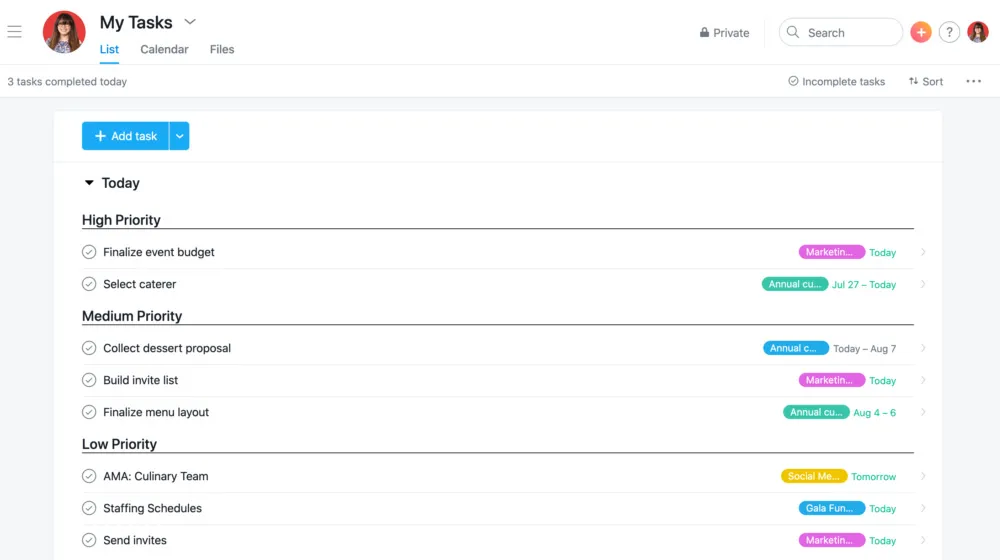
The “My Tasks” section of Asana allows you to sort or arrange the tasks according to your preferences. It is a private to-do list only visible to the employee.
From here, you can get a quick overview of all your open or due tasks independent of the project. Moreover, you can also organize your personal tasks into today, upcoming and later sections.
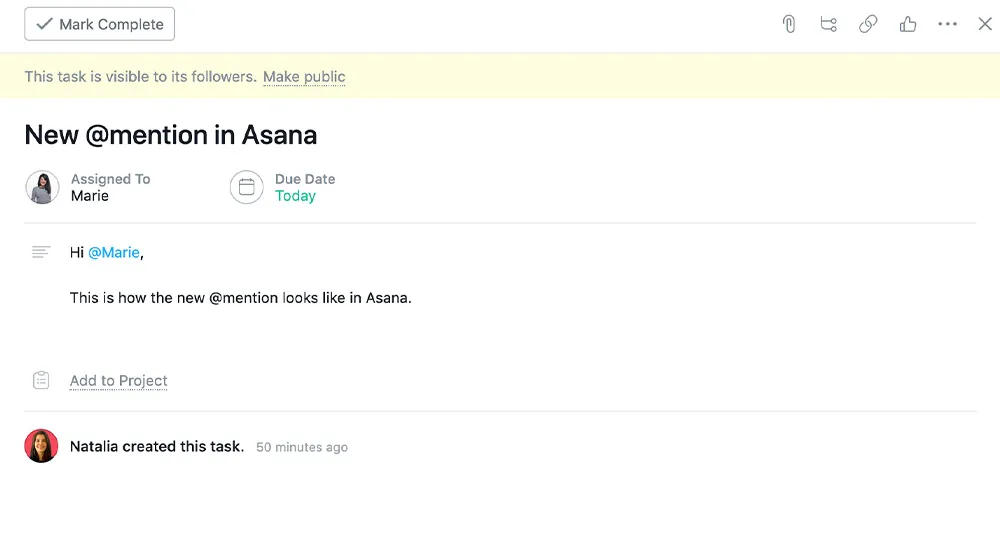
@mentions are mainly the hyperlinks in Asana. This feature lets you mention people, tasks, and projects in Asana. Type the first few letters of the project, task, or people you want to hyperlink; the remaining text will be automatically filled.
Moreover, this feature is great for team collaboration. You can keep all your project or task-related conversations within Asana instead of using email. This conversation can be viewed again later, making communication effective and teamwork productive.
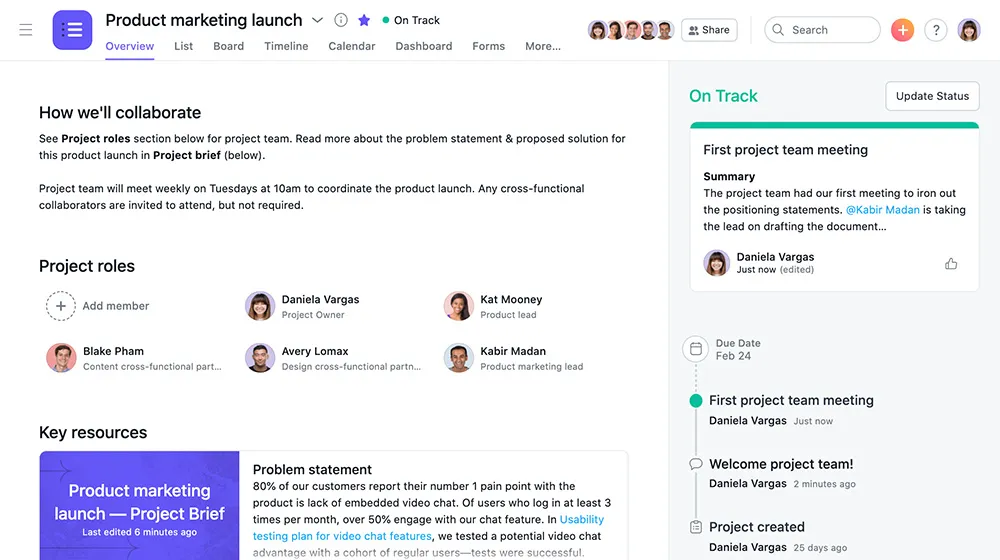
It is very important to update your projects or tasks regularly. It will keep your team members updated on the task status and ongoing progress.
Asana provides the “Set Status” feature, through which you can send and share your updates with all the team members assigned to the project.
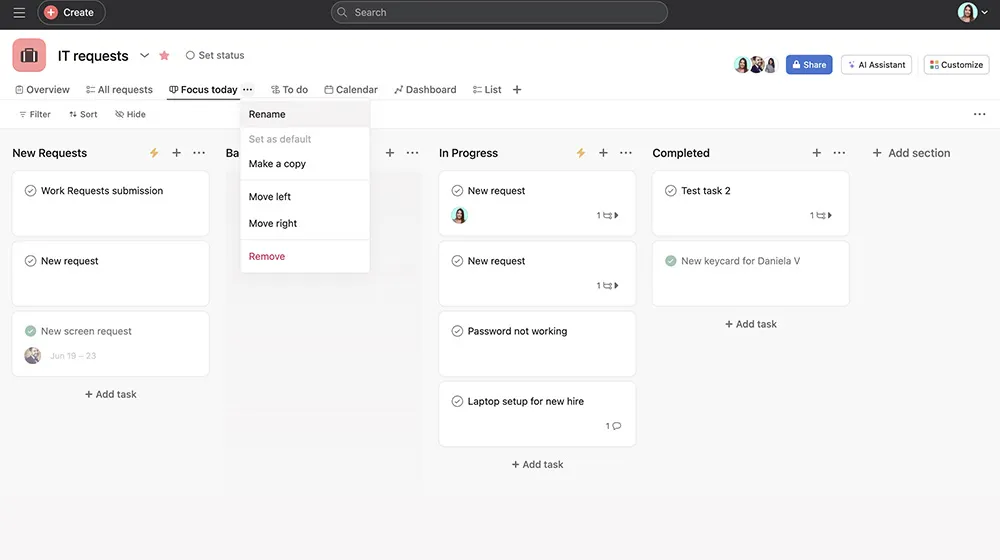
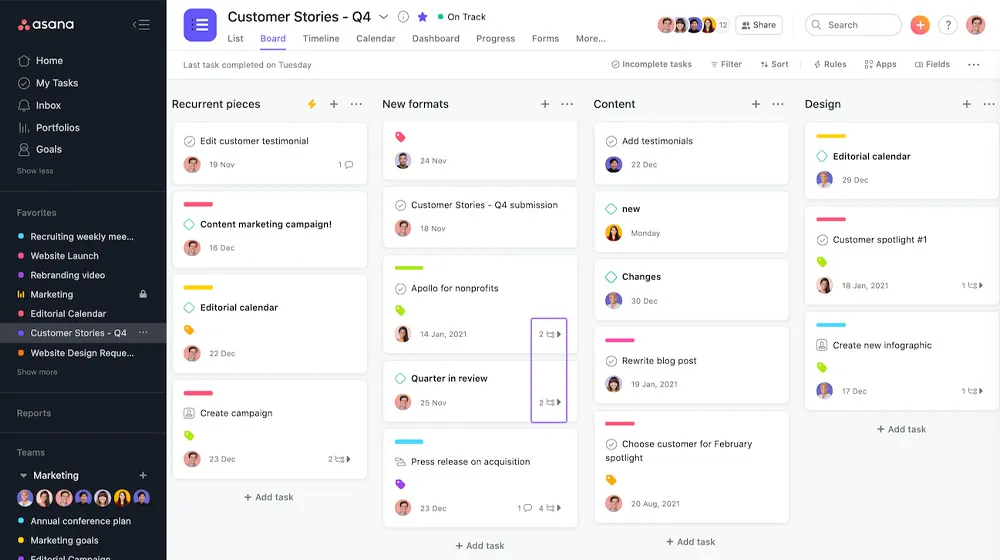
Use Asana boards to visualize your workflows. It is very useful for large projects with short deadlines.
Create them for a quick overview of all the tasks and subtasks of projects, including milestones. In this way, all the team members can get to know about the completed and open tasks at a glance while keeping an eye on important goals.
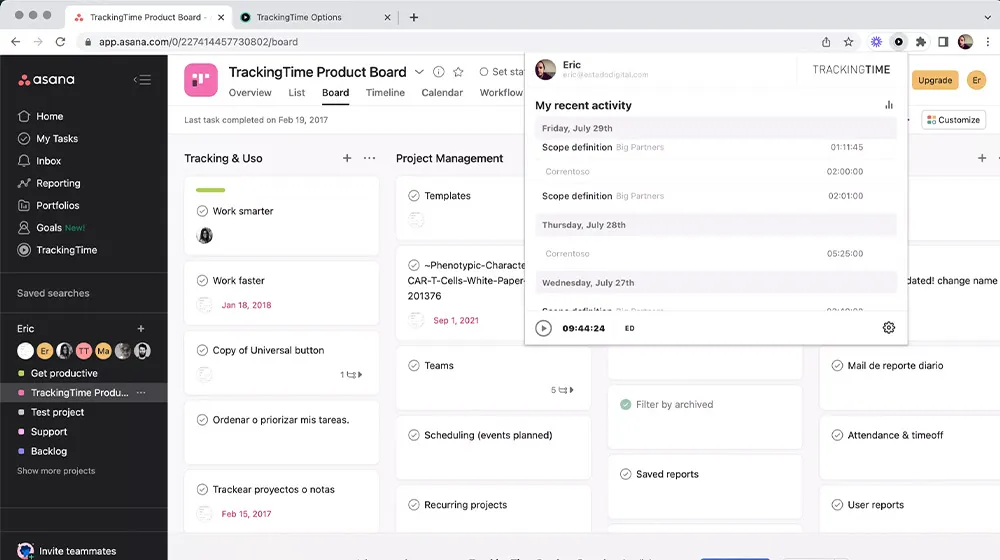
One of the most valuable features of Asana is its time-tracking functionality. With this latest feature, the users can track the time spent on each task.
This time, data is essential for budgeting and forecasting. Moreover, it also supports strategic decision-making on resourcing by improving real-time estimates of project progress.
One of the best features of Asana that sets it apart is its multiple project views. Unlike other project management tools that offer limited views, it provides users with all the required options.
Asana users have access to tools such as calendars, lists, portfolios, timelines, and more, which enhance your team’s productivity and help you manage tasks accordingly.
Yes. Asana is good for managing large projects with features like task organization, dependencies, and communication tools. However, effective implementation and user familiarity are the keys to optimal management.
Yes. Asana offers mobile applications for both iOS and Android devices. This helps you manage your projects or tasks or communicate with your team members on the go.
Asana offers a digital workspace that enables teams to interact regardless of location. This is one of the best features, as many businesses adopt a remote working model.
The pros of Asana are as follows:
However, the cons are:
Asana is a great software mainly used for project or task management. It helps teams to plan and track projects, streamline workflows, and facilitate effective communication between the team members.
The tool is used by renowned companies such as Dropbox, Pinterest, Deloitte, and more.
Asana is one of the best project management software that can be customized to meet the demands of a wide range of businesses. It helps keep track of the activities that must be finished within due time.
It also helps keep you and your team organized and plan for upcoming tasks and projects. Asana supports effective and actionable communication, which most businesses need to improve.
Sign up for Asana to learn how to effectively manage your tasks and projects while saving time on activities that are not helpful for your company’s success.