

Best Game Development Software
Level up your game with the industry's leading game development software
Best Game development software are used to be a very high entry barrier in the game creation industry. It took a lot of time, money, and sophisticated programming abilities to break into the market and publish your own game. It was nearly impossible to produce video games on your own because AAA game company behemoths controlled the majority of the resources.
Thankfully, there has been a significant change in the game development industry in recent years. Even those without programming skills can now wield power because to the increased accessibility of game development software. Since many of these resources are free, anyone with a game idea can enter the market.
We’ll go over the best game development software in this guide and assist you in selecting the appropriate tool for your upcoming project.
Table of Contents
What is Game Design Software

All the tools required to build a video game are included in game design software. It is important to remember that the process of creating a game is intricate and encompasses many different fields, such as computer science, graphic design, and creative writing. There isn’t a one program that can do everything, and a distinct suite of game design software can be required based on the specifics of your project.
Among the most often used programs for game design are:
- Tools for documenting game design
- Software for project management and planning
- Tools for worldbuilding and storytelling
- Engines for 2D and 3D games
- Software for character design
- Tools for modeling and animation
- Software for editing audio
Processes like asset conversion, design, level editing, compilation, simulation, testing, and debugging are usually made simpler by them. It’s crucial to remember that companies and developers often create tools and applications for one game and then reuse them for other games. Generally speaking, these tools are useless for casual gamers and are rarely used by anyone other than the developer staff.
Characters, settings, and concepts are created by game designers and developers with the use of game development software. Usually, these components need to be coded in order to create a coherent video game. By automating the coding for common game elements, these tools can assist speed up procedures, which is beneficial for both novice and experienced game producers. Game makers may construct gameplay physics, characters, menus, effects, buttons, and links with the help of these tools.
10 Best Game Development Software's
The top 10 game development software options are listed below to assist you and your team in producing high-caliber, financially successful games while streamlining the production process. This guide has provided a summary of their cost, their salient features and integrations, and the reasons for the selection.
Here are the top picks for best game development software:
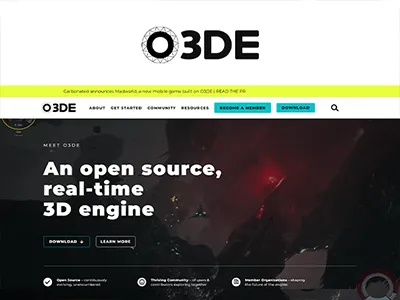
1. O3DE - Best High-Fidelity, Open-Source Software for 3D Game Development
Pricing: Free, advanced features starting from $99/year
Level: Intermediate
The new game development tool from Amazon is called O3DE. It is a far better application than A One of O3DE’s features that any user enjoy is its ability to provide real-time global illumination. The creations will seem more realistic because of its ability to produce realistic light bouncing. The landscape painter is another fantastic function that lets the user make realistic backgrounds and landscapes for games.
Key Features
Its real-time global illumination capabilities in O3DE. The creations will seem more realistic because of its ability to produce realistic light bouncing. The landscape painter is another fantastic function that lets me make realistic backgrounds and landscapes for your games.
Pros:
- There are excellent and cost-free asset packages available.
- Has the ability to store game files on the AWS cloud
- Its modular design facilitates ease of usage.
Cons:
- Updates come slowly.
- Comparatively new, thus some bugs are being worked out. Amazon Lumberyard, which it was designed to replace
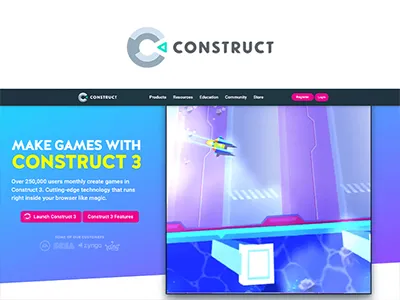
2. Construct 3 - Best for Beginners and Non-Programmers Creating 2D Games
Pricing: Free, advanced features starting from $99/year
Level: Beginner
With the game building tool Construct 3, you can opt to use JavaScript or write no code at all. Construct is a good choice because it caters to inexperienced game developers who wish to make captivating games but may not know how to code. Its easy-to-use layout and extensive library of resources will appeal to you.
Key Features
One of the features of Construct is the drag-and-drop game building functionality. Like a lot of others in today’s world, most users are comfortable and accustomed with its feature. Making it a part of game production makes the process more approachable for newcomers. Google Analytics and Steam have pre-built integrations. Additionally, it provides unique SDK and API, enabling plugin and add-on customization by developers.
Pros:
- Ideal for those new to coding languages and game developers
- intuitive design and user interface
- You can use your web browser to run it directly.
Cons:
- Sometimes takes a while to load.
- primitive 3D abilities
3. Blender - Best for All-In-One 3D Modeling, Animation, and Game Development
Pricing: Free and Open Source
Level: Beginner
Game development is one aspect of the 3D graphics creation pipeline that Blender is used to manage from start to finish. Blender is an excellent option for 3D artists seeking all-in-one software. Blender can assist with every stage of the game production process, including sculpting, painting, rendering, and game development. The emphasis on producing stunning graphics and materials to make captivating and exciting games appealed to the user.

Key Features
The real-time rendering engine in Blender is one of its best features; it’s swift and lets me see changes to my 3D drawings as soon as I make them. The animation engine, which can generate more realistic movement from 2D sprites to motion on 3D objects, is another feature that makes this software stand out and pre-built integrations are available for Kasm Workspaces, D5 Render, V-Ray, Character Creator, and Rebus Farm.
Pros:
- Vibrant community
- Cross-platform interoperability enables game distribution anywhere
- Vast selection of features and plugins
Cons:
- It takes time to become familiar with all the features and operate the software.
- Not appropriate for beginners
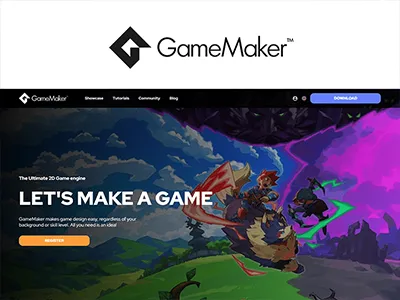
4. Gamemaker - Best for Indie Developers And Small Studios Creating Cross-Platform 2D Games
Pricing:Starting from $39/year
Level: Beginner to Intermediate
A 2D game building tool called GameMaker may be used to make both independent and commercial games for all of the major gaming platforms available today. GameMaker is a premium game engine with a strong emphasis on 2D development, which is a popular market for independent development companies. GameMaker gives you fine-grained control over features like animation and collision, enabling you to generate, import, and modify 2D-specific assets like sprites, backdrops, and tilesets.
Key Features
One of the features of GameMaker that caught any user attention is the option to make games using code or low-code. There is a feature that any user enjoy is the integrated debugger, which helps identify issues and coding mistakes as they developing the game. Most important thing is that If you connect GameMaker to outside tools via its API, you can access integrations.
Pros:
- A user-friendly design that adapts to the level of learning
- Integrated event and asset library
- A lively and encouraging community
Cons:
- There is minimal functionality for modifying images.
- Because it is unique to GameMaker, GML can be challenging to understand.
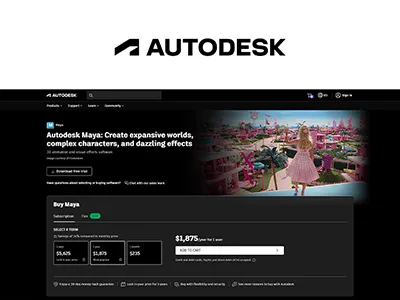
5. Maya - Best Rigging and Animation Features
Pricing:Subscription charges start at $225 if paid monthly and flex prices start at $300 for 100 tokens, 16 days over 1 year
Level: Expert
Autodesk, a business primarily focused on computer-aided design (CAD) tools like AutoCAD, produces the 3D design and animation program Maya. Maya is because it has a number of sophisticated rigging features that would be helpful to any game developer in making characters come to life. The IK (short for inverse kinematics) handle functionality is one such feature in this category that you may employ to design joints and mimic more realistic movements for elements like arms and legs.
Key Features
Bifrost, a framework that utilized to generate intricate effects like fire, water, and explosions, is one of the features that makes Maya perfect for animations. You can either make and share your own effects or work from a library of prepared ones.
If you would prefer more precise control over animations and effects than you could obtain by directly modifying the models, Maya also has a graph editor that you may adjust. OpenCities Planner, Houdini, V-Ray, ftrack, Adobe Substance, Amazon RedShift, and RenderMan all have pre-built integrations.
Pros:
- Free plan for educational establishments that includes instructors and students
- Simulating complicated effects is made simple with Bifrost.
- Sophisticated features for character animation and rigging
Cons:
- Costly
- Restricted integration and plugin library
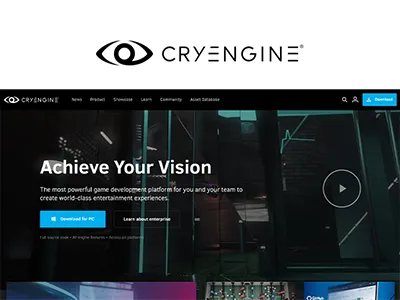
6. Cryengine - Best for Open-World Game Development
Pricing: Starting from $39/year
Level: Intermediate to expert
A robust game engine called CryEngine can be used to produce expert, premium 3D games with realistic, dynamic environments. The world-building functionality of CryEngine is the reason it was the gamer choice. With the help of this game engine, every gamer can make incredibly realistic environments and automated characters for their games. It can develop non-player characters (NPC) in CryEngine that have realistic appearances and behaviors, thanks to the AI modeling tools that are integrated into the game.
Key Features
One of CryEngine’s features that any gamer really enjoyed is the integrated NPC logic, which makes creating incredibly realistic games possible. The fact that CryEngine provides things like marketing support to help you get your games on the market is another thing the user like about. Although there aren’t any native integrations, you can still connect to the tools of your choice via the CryEngine API.
Pros:
- Ideal for small groups aiming to expand
- Features of the game engine and intuitive user interface
- Dependable and excellent design and visuals
Cons:
- Not all languages are covered by the documentation, and it may be out of date.
- Not advised for inexperienced game developers
7. Godot Engine - Best for Open-Source Development and Flexibility In 2D and 3D Game Creation
Pricing: Free
Level: Intermediate
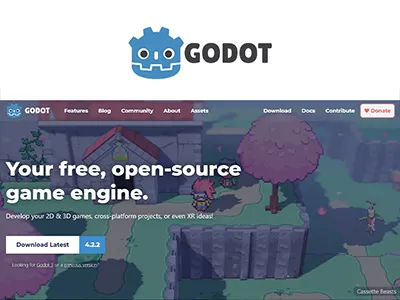
Godot is a basic game engine that facilitates the building of 2D and 3D games and their cross-platform release. If you adore the modular game development approach it uses. The user will able to create games more quickly and with much less code thanks to this low-code approach. The process’s versatility made creating games easy and fun.
Key Features
The asset pipeline is one of Godot Engine’s features that truly caught attention. With the help of this function, you can take complete scenes and make comprehensive changes to them, including the lighting and animations. The ease with which Godot Engine can be used to create in both 2D and 3D, as well as to export games at various quality levels for all kinds of devices, is another fantastic feature. For GitHub, integrations are pre-built. Additionally, you can link to other tools via an API.
Pros:
- Excellent for inexperienced game developers
- Simple and welcoming user interface
- Vibrant community for open-source
Cons:
- Lackluster is the 3D physics engine
- Inadequate assistance with console development
8. Unreal Engine - Best for Creating Cutting-Edge Professional 3D Games
Pricing: Free for non-monetized projects, 5% royalties when revenue exceeds $1,000,000
Level: Expert
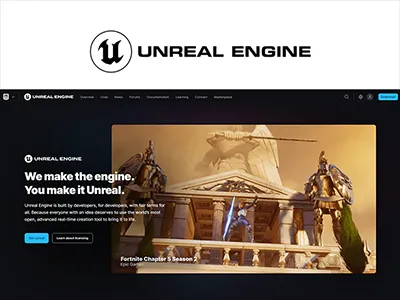
The game creation software package Unreal Engine provides a full toolkit for making high-quality 3D games. The Unreal Engine’s exceptional adaptability and industry-leading graphical capabilities are the reasons they made any Game developer’s list. 3D models, textures, audio files, and animations are among the ready-to-use assets available in its integrated content library and marketplace. This lessens the demand to build things from scratch, which saves a great deal of time.
Key Features
One of Unreal’s features is the Blueprint visual scripting system, which lets user design gameplay mechanics, logic, and interactions in prototype form without requiring to write traditional code. This facilitates the streamlining of development process and establishes uniformity in the development of team. Pre-built integrations are available for Adobe Substance, Autodesk Maya, ftrack, V-Ray, devtodev, Houdini, Helix Swarm, and STAGE.
Pros:
- Modern graphics capabilities for games with breathtaking visuals
- An extensive collection of tools for creating games and visualizing data in real time
- A vibrant community and a wealth of documentation for guidance and assistance
Cons:
- Greater learning curve than that of certain other gaming engines
- Royalties for the release of commercial video games
9. ZBrush — the all-in-one-digital sculpting solution
Pricing: Starting from $39.95/month
Level: Expert
For nearly 25 years, ZBrush has been the industry standard CG sculpting tool for game development and cinema visual effects. It is currently the industry leader for asset development in games, movies, and visual effects, utilized by companies like Electronic Arts, ILM, and Epic Games. You’ve seen what ZBrush can achieve when used by artists if you’ve seen The Avengers, Iron Man, Avatar, or Pacific Rim.
Key Features
ZBrush allows you to more easily create complex and detailed shapes in less time with greater control. Focus less on how polygons are connecting together and spend more time focusing on form, shape, weight, and overall visual design.
Pros:
- Super-sculpting tools as the industry standard for digital sculpting, artists will find the best sculpting tools available anywhere.
- Free updates for subscribers with the subscription model, artists assure that they always have access to the most recent version of ZBrush.
Cons:
- Steep learning curve ZBrush is not the easiest package to understand, and, for most people, it will take a huge amount of learning and intentionality to really master the program.
- Expensive When something like Sculptris is available for free, it can be difficult to justify the expense of ZBrush, especially if you're just a hobbyist.
10. Unity — Most Popular Game Engine Among Smaller Studios
Pricing: Free for personal use, team plans starting from $40/user/month
Level: Intermediate to Expert
One of the most popular game design software programs available today is Unity. Many of the most well-known video games, such as Assassin’s Creed: Identity, Cities: Skylines, Valheim, Among Us, and Escape from Tarcov, were created using Unity. Indie developers and mobile game makers really adore it.
Key Features
You can make 2D and 3D games using Unity for almost any platform, including Windows, Mac, iOS, Android, Oculus Rift, Steam VR, PS4, Wii U, Switch, and more. Unity is incredibly powerful and versatile. Unity does require some coding knowledge, in contrast to some of the other programs on this list. Don’t worry if you’re not very good at programming; Unity has a ton of tutorials and learning materials available.
While subscription plans for teams and studios start at $40 per user per month, solo game creators can utilize Unity and monetize their games for free (as long as your game revenue stays under $100,000 per year).
Pros:
- User-Friendly Platform
- Efficient Debugging
- Ideal for All Skill Levels
Cons:
- Higher Memory Consumption
- Limited External Code Libraries Linkage
- Licensing Costs
Key Features to Consider When Selecting Game Making Software

There are a lot of things to consider while development a game in order to give gamers a positive and engaging experience. What kind of game is it going to be? What mechanisms does it employ? What will be the theme? What narrative will it convey?
Although the variety of components involved in game creation can be daunting, it’s crucial to give each one considerable thought. The choices you make will dictate how well your game plays out. We’ve put together a list of 5 essential features to consider while making judgments about game design to assist you.
Note: It can take a few weeks to more than ten years to build a game. There are three primary stages to it:
- Type of a Game Development Software: A variety of tools for creating 2D, 3D, and role-playing games are available. Thus, select a tool based on the type of game you intend to create.
- Features of a Game Development Software: Verify that the program you select offers the features needed to realize your game's concept and design. Depending on the nature of gameplay, these tools could need specific features and functions.
- Integrations of a Game Making Software: Verify which plug-ins, formats, and tools can be integrated with the game development tool. The output may need to be in a certain format or configuration, depending on the kind of game and its specifications.
- Costing of a Game Building Software: Depending on your demands and budget, you can select between a free and a premium tool. A limited feature set is available in the free edition of many paid tools.
- Support of the Game Development Programs: To use more complicated features or set up certain procedures, you might need some assistance if you're new to using game creation tools. Verify if the business offers resources and support to assist in troubleshooting common issues, especially if the features or interface are complicated.
Conclusion
Throughout the course of your project, your team could also need to use a variety of multifunctional digital tools. To create high-quality visuals, trailers, and teasers for your game, you may require a platform to set up a website, a suite of marketing and social media tools to promote your project, online stock image libraries for references, an appropriate image editor, video editing software, and so forth. No two game design projects are the same, therefore in order to effectively see your game through to completion, you might need a special set of tools.
In verdict, it is evident that creating games is getting easier than ever thanks to the annual release of ever-more-accessible game design tools, regardless of whether you work for a big studio or are an inexperienced lone game designer.
ITVerticals Services

Email Marketing Strategy: Proven Ways to Improve Your Campaigns
Adam Romy
September 17, 2026

Digital Marketing Strategy: A Complete Guide to Online Growth
Samantha Leonie
September 15, 2026

Ecommerce Website Cost: Complete Guide to Pricing, Design, and Development
Adam Romy
September 10, 2026

Best Affiliate Marketing Platforms to Grow Your Business
Adam Romy
September 8, 2026
Link Building Pricing: A Complete Guide to Costs, Packages, and Services
Adam Romy
September 22, 2026
Email Marketing Strategy: Proven Ways to Improve Your Campaigns
Adam Romy
September 17, 2026
Digital Marketing Strategy: A Complete Guide to Online Growth
Samantha Leonie
September 15, 2026
Ecommerce Website Cost: Complete Guide to Pricing, Design, and Development
Adam Romy
September 10, 2026
Best Affiliate Marketing Platforms to Grow Your Business
Adam Romy
September 8, 2026
Author

Adam Romy
Technology Content Author
Adam Romy is an author at IT Verticals, contributing to content covering technology and digital business topics. His work focuses on presenting information clearly and accurately for business readers. He helps make complex subjects easier to understand and apply.

Adam Romy
Author
Technology Content Author
Adam Romy is an author at IT Verticals, contributing to content covering technology and digital business topics. His work focuses on presenting information clearly and accurately for business readers. He helps make complex subjects easier to understand and apply.
Fact Checker

Samantha Leonie
Author & Fact Checker/Validator
Content Quality & Fact-Checking Specialist
Samantha Leonie is a fact-checker at IT Verticals, reviewing content for accuracy, clarity, and consistency before publication. She helps maintain the quality and reliability of published information.