ITV-Blogs

Top 20 Best Project Management Tools in 2024

Fast-track your projects with smarter, faster, and better project management tools.

Streamline your individual tasks and collaborative projects with project management tools. You can find some of the best project planners and task management software online for free or purchase a subscription to access advanced features.

This article shares an overview of the 20 best project management tools in 2026. The insights shared will help you select the most suitable task management software and make your project’s operations more efficient.

Table of Contents

What are Project Management Tools?

Effective project management encompasses planning, organizing, and efficiently allocating resources to attain specific objectives within predefined timelines. However, the manual handling of projects can pose challenges, consume considerable time, and introduce the potential for errors.

To remedy these obstacles, project management software has emerged as a comprehensive solution offering diverse features and functionalities.

From project task management to team management software, these applications allow your managers and teams to plan, collaborate, organize, track, and deliver projects effectively.


20 Best Project Management Tools in 2024

Here are 20 top 20 project management software you can choose to improve the performance and efficiency of your business projects.

Asana

Asana is an all-in-one project management platform designed for businesses of all sizes. It offers a comprehensive suite of tools for work organization and resource management within an attractive user interface.

Users can leverage the Workflow Builder to create custom workflows and facilitate collaboration. Strategic goals can be set to provide clear direction to teams, with performance metrics for tracking.

Gantt charts provide a visual representation of resource allocation, deadlines, and overall project progress. Asana also offers seamless integration with over 200 popular apps like Google Drive, Google Calendar, and Slack, enhancing productivity and workflow efficiency.

asana

Airtable

Airtable offers you a flexible project management solution where you can enhance records in other tables with attachments, detailed notes, checkboxes, links, barcodes, and more.

airtable

Explore its rich field types, available on both desktop and mobile apps. Benefit from Gantt, timeline, list views, automation, and in-record commenting features.

Airtable has built-in support for numerous popular apps and boasts a robust API. Seamlessly connect it to over 1000 websites and apps like Asana, Basecamp, Box, Evernote, Facebook, Github, MailChimp, Slack, and many more using Zapier, Workato, Integromat, or Automate.io, expanding its functionality to suit your needs.

Basecamp

Basecamp is an ideal choice for best project management tools for small teams seeking user-friendly project management tools. It covers scheduling, collaboration, and monitoring efficiently.

Visualize workloads with ease and organize complex projects using project-specific to-do lists, complete with notes and attachments. Facilitate constant communication through dedicated boards, ensuring seamless teamwork.

Keep track of deadlines with due dates, progress tracking, and calendar integration. Although it may not have as extensive a feature set as some alternatives, Basecamp offers integration options with various third-party apps for enhanced software development, project management, and reporting capabilities.

 
basecamp

Celoxis

Celoxis, a web-based project management software, offers a comprehensive solution with robust analytics and dynamic charts to revitalize your project data.

celoxis

Its feature set covers real-time project tracking, task management, resource allocation and usage, timesheets, project finances, risk and issue management, and to-do lists.

Integrate seamlessly with pre-built connections to popular tools like Google Drive, Outlook, Microsoft Project, Excel, and Salesforce, as well as hundreds of others, including JIRA, Slack, and Trello, for enhanced productivity and collaboration.

ClickUp

ClickUp, a project management productivity app, empowers you to plan projects, schedule tasks, and manage resources from a centralized workspace, no matter where you are.

Key features include whiteboards for collaborative brainstorming and interactive docs acting as a shared Wiki for team contributions. Additionally, in-app chat and proofing tools facilitate streamlined approvals for client marketing collateral.

With native integrations like Slack, HubSpot, TogglTrack, Figma, Loom, Sentry, G Suite, Dropbox, Clockify, and Calendly, you can enhance your workflow. Plus, access over 1,000 more apps through a paid Zapier membership. For custom integrations, there’s a public API at your disposal.

clickup

Evernote

Evernote is the top note-taking app available. It empowers you to create dynamic notes, incorporating text, images, audio, scans, PDFs, and documents. Additionally, you can easily transform your to-dos and notes into actionable tasks, streamlining your project organization process.

evernote

Consolidate all your notes, tasks, and to-dos in one place; Evernote simplifies project management and helps you stay organized. You can set reminders to stay on top of deadlines and utilize advanced search options for quick note retrieval.

While it excels in individual note-taking and personal organization, there may be better choices for intricate project management and extensive team collaboration, lacking advanced project management features.

Forecast

Forecast is your comprehensive platform for resource and project management. It equips you with a suite of tools to handle everything from quotes to invoices while also harnessing intelligent automation to predict project delivery dates, anticipate capacity requirements, and enhance efficiency.

The AI capabilities leverage insights from hundreds of thousands of projects, creating user-driven rules. Embrace features such as resource management, project accounting, business intelligence, support for retainer budget-type projects, automated scheduling, and AI-driven recommendations.
 
forecast

When it comes to integrations, Forecast offers seamless connections with mainstream project management tools and two-way synchronization with Jira. Additionally, it complements accounting systems like Quickbooks and Xero by adding project management capabilities to the mix, making it a versatile solution for your needs.

 
ganttpro

GanttPRO

Benefit from features like task management, resource allocation, time tracking, budget monitoring, various data views, and ready-to-use templates for swift project initiation.

Integrate seamlessly with Jira, Google Drive, Slack, and more tools. GanttPRO finds widespread application in software development, construction, healthcare, finance, events, and education, making it a versatile choice for project management needs.

Hive

Hive, a project management and collaboration platform trusted by teams at Starbucks, Uber, Electronic Arts, and Toyota, operates uniquely as the world’s first community-driven software. It shapes its product roadmap exclusively based on customer requests.

 
hive

Explore its features like automation, reporting, analytics, portfolio management, intake forms, and proofing & approval tools to boost productivity.

Seamlessly integrate with Microsoft Teams, Zoom, Jira, QuickBooks, and Slack. Unlock thousands more integrations effortlessly through the no-code Hive Automate app, tailoring Hive to your specific needs.

hubspot

HubSpot

HubSpot offers an all-in-one CRM tool that integrates your marketing, sales, support, and project management teams seamlessly. Within the free Marketing Hub, you will find Projects, a centralized hub for tasks, files, and communications.

This unified software allows you to efficiently manage all your projects, providing real-time feedback, notifications, and results. You can kickstart your projects instantly with built-in templates, breaking down tasks, assigning owners, setting due dates, and attaching necessary files or assets.

Since it is part of HubSpot’s CRM, you’ll have the advantage of connecting all your customer data with your marketing, sales, and support teams.

Notable features include collaboration boards, pre-built project templates, customer database integration, task assignment ticketing systems, and comprehensive dashboard analytics.


Hub Planner

Hub Planner, a project management and resource scheduling tool, assists you in efficiently managing your team’s projects and their time.

Benefit from its skill-matching capabilities, allowing you to locate resources based on project-specific skills and assign staff based on their workloads and capacity. The user-friendly drag-and-drop scheduler simplifies the process.

Integrate with ease through DIY options via the Hub Planner API and webhooks. Furthermore, access a wide array of apps using your Zapier account, enhancing your workflow and adaptability.

 
hub planner
jira

Jira

Jira, originally a software development solution, is now part of the Atlassian Group and has evolved into a versatile platform. It includes Jira Software, Jira Core, and Jira Work Management, catering to teams of all sizes.

Jira’s dashboards enable you to easily plan projects, track progress, and monitor due dates. You can also share them with colleagues for updates. It simplifies task and project searches through its Query Language and specific filters.

Customizing request forms allows teams to streamline intake, reducing back-and-forth communication and expediting delivery. Jira seamlessly integrates with other Atlassian Group tools, enhancing its functionality.

Kintone

Kintone, embraced by global organizations like Volvo Trucks North America, Japan Airlines, and Shiseido, offers a versatile project-tracking platform.

Its features include a ready-to-use application library, advanced process management, private messaging, real-time custom graphs and charts, and precise permission controls.

kintone

With Kintone, you can enhance its capabilities using free native plugins from the Kintone team or integrate with various tools such as Slack, Gmail, Google Calendar, Outlook, Tableau, Dropbox, Salesforce, HubSpot, Eventbrite, WordPress, QuickBooks, MailChimp, and more.

monday

Monday

Monday.com is an outstanding project management platform that empowers users to create tailored, automated workflows for their projects. Noteworthy features encompass resource workload and allocation, offering insights into team activities and workloads.


The platform also boasts collaborative document editing, facilitating co-authorship and file linking within the system. Additionally, its customizable dashboards enable your users to craft views that align with your operational needs.

Monday.com offers seamless integration with various pre-built connections to popular apps such as Slack, Google Drive, DocuSign, Gmail, Google Calendar, Jira, GitHub, Trello, Dropbox, and Typeform.

Furthermore, you can expand your connectivity options by tapping into thousands of additional apps through the Zapier integration.

Microsoft Project

Microsoft Project is part of the trusted Microsoft brand, known to millions worldwide. It’s designed to consolidate project management functions from various sister brands into one platform. While it excels for single projects, it may be less popular for handling multiple ongoing projects.


project

You’ll find it beneficial to integrate with Power BI to quickly access the overall project and individual progress through interactive dashboards. Use the widely used Gantt view to scan for upcoming due dates, roadblocks, or project progression.

Though optimized for individual projects, this feature helps you maintain control over expenses, ensuring you stay on budget and schedule.

As expected, Microsoft Project integrates seamlessly with other Microsoft ecosystem components but may have fewer connections to third-party apps. Nevertheless, it allows integration with tools like Slack, Google Calendar, Outlook, HubSpot, and more to enhance your project management capabilities.

notion

Notion

Notion can be a fantastic project management tool for you, especially if you are a content creator, solopreneur, or part of a small team handling multiple projects 

It provides versatile project views such as timeline, board, and calendar, enabling efficient project planning. What’s convenient is that you can start in the board view and seamlessly add a timeline view to visualize task relationships.


However, Notion may lack some advanced project management features, and handling multiple projects, especially for larger teams, might become cumbersome. Additionally, there’s room for improvement in its security features.

You can effortlessly outline and rearrange ideas as they evolve, offering flexibility in your planning process. With real-time synchronization across various devices, you can collaborate seamlessly with your team, ensuring everyone stays on the same page.

Whether you are working in a browser or using the Mac, Windows, or mobile apps, Notion offers accessibility and convenience, even when you’re offline. Its powerful and customizable tables empower you to organize your data efficiently, making it a valuable asset for project management and organization.


Smartsheet

Smartsheet is a highly adaptable, cloud-based project management tool that fosters real-time team collaboration. Its flexibility makes it suitable for various purposes, including project management, budget tracking, and campaign management.

However, if you are not comfortable with a spreadsheet-style interface, Smartsheet might not be the best choice for you. Additionally, it has a learning curve and may require add-ons for features like time tracking and resource management.

smartsheet

Its key features include team collaboration, automated update requests, file attachments from popular cloud services, visibility into team workloads, and robust permission controls.

Trello

Trello, one of the earliest Kanban-based tools, still offers simple project visualization and efficient drag-and-drop task management. Its familiarity makes sharing and collaborating with both internal and external users effortless.

trello

This well-known Kanban board tool boasts an appealing interface and user-friendly drag-and-drop functionality. Customize task cards with due dates, comments, and more to ensure quick visibility for your entire team.

Streamline workflows by creating automated connections between cards, optimizing intake and project delivery. Trello offers over 200 ready-to-use integrations with popular tools like Google, Slack, and other prominent work management solutions.

wrike

Wrike

Wrike offers robust Enterprise features tailored to teams with heightened security and precise permission requirements, ensuring your organization’s needs are met. They even offer a specialized tier designed for complex organizations with specific demands.


You will appreciate the visual proofing feature, streamlining multi-tier client approvals, and workflow automation that eliminates repetitive tasks. Access to project portfolio management capabilities allows you to gauge your project initiatives’ alignment with the company’s strategy and goals.

Additionally, cross-tagging facilitates collaboration on projects that require input from various business initiatives.

Wrike’s extensive integrations encompass 400+ pre-built native connections, including Asana, Airtable, BambooHR, Chargify, Clearbit, HubSpot, Jenkins, Mailchimp, Replicon, Salesforce, and Slack. You can also create custom automation using its API, ensuring seamless integration with your preferred tools and systems.

Zoho Projects

Zoho Projects, a versatile project management app, accommodates projects of all sizes and complexities. It offers social networking-like features such as feeds, forums, and discussions, accessible on iOS, Android, and other mobile systems.

zoho projects

How to Choose a Project Management Software?

Selecting the right project management software from a multitude of options is a daunting task. You face the twofold challenge of identifying ideal work management tools and persuading the management to buy one. Most importantly comes the task to train your employees to use the task management tools.


Step-by-Step Guide to Choose the Best Project Management Software for Small Teams

Follow the below-mentioned steps to choose the right project planner or team management software for your business.

Step #1 – Know Your Needs

Gain a comprehensive understanding of your company’s specific needs and operational processes. This includes clearly defining the features and functionalities that your teams require.

step 1 know your needs
step 2 research the market

Step #2 – Research The Market

Conduct thorough research on the various tools and platforms available, with a particular focus on customer success stories, available support, and security features.


Step #3 – Avail the Free Trials

Take advantage of free trials to assess these tools and gather user feedback. Share your research findings with leadership teams to secure executive buy-in.

 
step 3 avail the free trials
step 4 swot analysis

Step #4 – SWOT Analysis

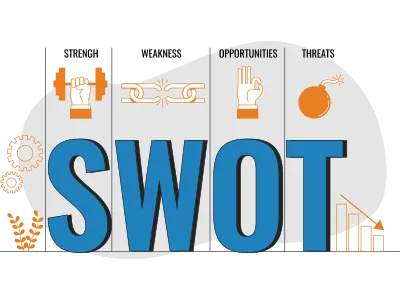
Analyze the strengths, gaps, and opportunities your chosen task management tools will cover to improve your team’s performance and efficiency.


Step #5 – Make Purchase

Proceed with the purchase and implementation of the chosen platform and package.

 
step 5 make purchase

Factors to Consider When Choosing a Project Management Tools

Selecting the ideal web-based project management tool for your organization hinges on several key factors:


user count

User Count

Consider the number of users who will utilize the platform. Most project task management software like Asana offers free options to cater to a limited number of users. However, you have to buy a plan for larger teams.


Pricing Flexibility

Evaluate and compare work management tools’ pricing structures. Make the most of your free trial before choosing the plan of your desired project planner.


pricing flexibility
essential features

Essential Features

Examine the platform’s key features per your business operation’s needs. You will learn about the essential features of project management tools in the following section.


Scalability

Consider future growth possibilities; therefore, your chosen project management platform must have the ability to adapt to your evolving needs. For example, Asana offers flexibility to accommodate team growth and expanding feature requirements without necessitating a platform change.

scalability
user friendliness

User-Friendliness

Assess how easily your team can implement and utilize the chosen project management tool. Whether you are a beginner or require advanced functionality, team management software like Asana caters to both user profiles.

Consider the above-mentioned factors to effectively narrow down your choices and identify the best project management software in 2024.

Security

Security is another paramount consideration. A significant allure of robust project management software lies in its ability to centralize all data, providing a single source of truth.

However, you must prioritize safeguarding colleague, client, and customer data against ongoing threats. Therefore, it is imperative to trust the security functions of your chosen platform and opt for one with the highest levels of protection available.

security
integration

Integration

The selected platform should seamlessly integrate into your existing ecosystem to prevent teams from wasting valuable time switching between platforms. This integration capability ensures efficient and hassle-free collaboration across your preferred tools.

Top Features to Look for in Project Management Tools

Teams handling large company projects often juggle many tasks, from content approval to compiling project performance reports. Implementing project management software tailored to their unique requirements can significantly simplify their responsibilities.

The best project management tools encompass the following essential features:

Automation

Workflow and task automation enhance process efficiency and accelerate delivery.

 
automation
budgeting

Budgeting

Budgeting allows for the estimation of project costs and ongoing expense monitoring to prevent overspending.


Collaboration

Collaboration features encompass real-time communication, live editing, and @mentions to foster effective teamwork.

collaboration
customization

Customization

Customization permits tailoring the project management software to meet unique needs, encompassing interface adjustments, team workflows, and request forms.


Customizable Request Forms

Customizing request forms ensures you gather all necessary information right from the outset, aligning with your work intake process.


customizable request forms
integrations

Integrations

Integration with multiple apps streamlines tasks and consolidates work within a single platform.


Mobile Access

Mobile apps enable remote, hybrid, or on-site employees to work on the go, ensuring crucial updates are never missed.


mobile access
project planning

Project Planning

Project planning provides the capability to construct and customize project plans with key milestones and task dependencies, often visualized on a Gantt chart.


Proofing and Approvals

Built-in proofing and approval tools expedite the delivery process, eliminating delays caused by feedback or edits. Ideally, these tools facilitate real-time collaboration among teams.

 
proofing and approvals
resource allocation

Resource Allocation

Resource allocation enables oversight of team member availability, facilitating the assessment of capacity for taking on new tasks.


Reporting and Analytics

Some project management platforms automatically generate reports for easy visualization of project performance.


reporting and analytics
task management

Task Management

Task management empowers users to create and assign task lists, set due dates, and track progress, typically presented on a Kanban board.

Time Tracking

Built-in time tracking tools, a crucial element of modern resource management, ensure precise planning and reliable billing.

time tracking

FAQ’s

  • Real-world success stories and case studies in 2024:
  • Increased Efficiency: Reduced project timelines and improved productivity.
  • Cost Savings: Efficient resource allocation leads to cost savings.
  • Enhanced Collaboration: Streamlined communication and collaboration.
  • Improved ROI: Better project management leads to increased returns on investment.

Industries and business sizes benefiting from these tools:

  • Various Industries: These tools are adaptable and find use in diverse sectors.
  • All Business Sizes: They cater to small startups, mid-sized companies, and large enterprises.

Latest trends in project management software for 2024:

  • AI Integration: Utilizing artificial intelligence for automation and decision support.
  • Remote Work Support: Enhanced features for managing distributed teams.
  • Automation: Reducing manual tasks through workflow automation.
  • Real-time Collaboration: Improved tools for seamless real-time collaboration.
  • Data Security: Heightened focus on data protection and privacy.

Comparison of pricing and scalability among the top 20 project management tools:

  • Pricing: Varies widely, with some offering free plans and others requiring subscriptions.
  • Scalability: Depends on the tool; some are suitable for small teams, while others are enterprise-ready.

Key features to consider in selecting a project management tool in 2024:

  • Task Management: Efficient task allocation and tracking.
  • Collaboration: Seamless team communication and file sharing.
  • Reporting: Advanced reporting and analytics for project insights.
  • Scalability: Ability to grow with your project needs.
  • Integrations: Compatibility with other software you use.

Use Surfer SEO to Write Blogs That Rank!

In this fast-paced digital era, where search engine algorithms constantly evolve, staying at the forefront of content optimization is not just an option but a necessity. As you learn how to use Surfer SEO, you equip yourself with a powerful tool at your disposal, enabling you to adapt, innovate, and thrive as a blog writer.

So, as you embark on your journey to write better blogs in 2024 and beyond, remember to use Surfer SEO as your trusted companion to achieve greater visibility, engagement, and success in the digital realm.

It is time to start writing blogs that not only resonate with your audience but also conquer the search engine rankings. Happy blogging!